
Mobile Wallet
Use Your Phone as Your Wallet

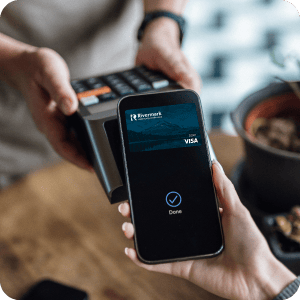
Make quick, secure payments using your smart phone. Setting up your Rivermark debit or credit card with Apple Pay®, Google Pay®, and Samsung Wallet® is easy.
- Save the hassle of carrying plastic cards that can be lost or stolen.
- Securely make payments without transmitting your card number or name.
- Reduce your chance of fraud.
- Pay quickly and easily using your mobile device.
Rivermark offers the following options for your mobile wallet. See below for more details.
Apple Pay®
Add your Rivermark credit or debit cards to your iPhone, iPad, Apple Watch, or Mac with Apple Pay®.
Learn More

Google Pay®
Add your Rivermark credit or debit cards to your Pixel, Google account, or any Android device with Google Pay®.
Learn More

Samsung Wallet®
Add your Rivermark credit or debit cards to your Galaxy, Gear, or Galaxy Watch with Samsung Wallet®.
Learn MoreWhy Use a Mobile Wallet?
Enhanced Security
Mobile Wallets add an extra layer of security to your cards, using a unique token code for each transaction. Even if your phone is lost or stolen, your actual card number remains safe, ensuring your financial details are secure and private.
Fast
Paying is just a touch away. No more fumbling through your wallet or purse to find the right card. Pay with a tap on your smartphone or smartwatch.
Widely accepted
Use your Rivermark card at millions of stores and websites, including major brands and retailers.
Mobile Shopping
Many apps and devices integrate with your mobile wallet for secure, convenient transactions. No more typing in card numbers and expiration dates.